Sage
An AI companion you talk to — brought from the web to iOS and Android as a real native app, not a wrapped website.
- Client
- Inner Sage (UK)
- Role
- Sole mobile developer
- Platform
- iOS + Android (React Native, Expo)
- Type
- Native rebuild of an existing web product
- Status
- Built, in store submission
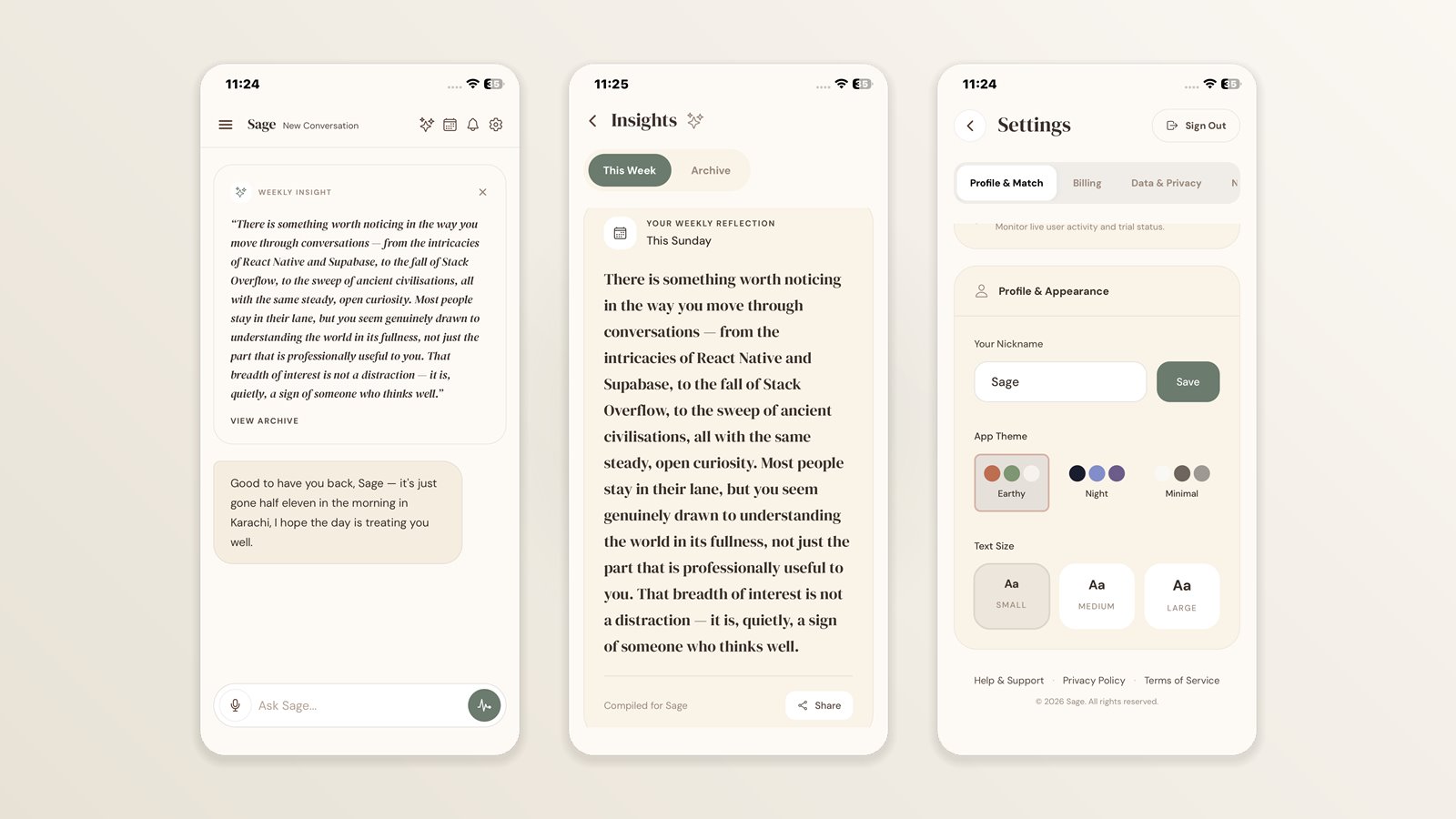
Sage is an AI companion people talk to — by typing or by voice — for reflection, perspective and gentle accountability. The web product already existed; this project brought it to iOS and Android as a genuinely native app rather than a wrapped website.
The brief was to match the web product exactly — same screens, same behaviour, same design language — while being a real native app. Nothing was wrapped in a webview.
The existing Supabase backend, database and AI services were reused as-is, so users move between web and mobile with one account and one subscription. Where mobile genuinely needed something the web did not, the backend was extended rather than duplicated: push notifications, for example, had to learn to reach phones alongside browsers without changing anything the web relied on.
Delivered in milestones, each one ending in a build the client installed and tested on their own device before the next began.
Key features
Conversation
- Conversational AI chat with streaming replies
- Saved conversation history
- Voice-to-voice mode — speak to Sage, hear her reply, hands free
- Dictation for speaking a single message into the composer before sending
Reflection & wisdom
- Journey events — log what is coming up, and Sage checks in before and after
- Daily wisdom and weekly insights, with a browsable archive
- Shareable cards that turn a piece of wisdom into a branded image
Platform integration
- Push notifications across both platforms
- Subscriptions via in-app purchase, alongside the web’s existing billing
- Universal Links and App Links so email links open the app when installed
Personalisation & admin
- Three themes and three text sizes, matching the web product
- Nickname and profile settings
- Granular notification controls
- Admin dashboard for the client
The hard parts
The problems that shaped the architecture, and how each one was solved.
Streaming AI replies on a platform that buffers them
React Native’s fetch buffers a response rather than exposing a readable stream, which makes server-sent events arrive all at once. Using the WinterCG fetch shipped with Expo gave a real ReadableStream, so replies type out as they are generated, exactly as on the web.
Voice conversation without a Web Audio API
The web detects when someone has stopped speaking using RMS amplitude from an AnalyserNode. React Native has no equivalent, so the same behaviour was rebuilt on the microphone’s dBFS metering — converting the web’s thresholds rather than re-inventing them, then calibrating to the room’s noise floor at the start of every call so it works in a quiet bedroom and a noisy café alike.
A platform-specific audio strategy
Speech is synthesised sentence by sentence to keep latency low. On Android each player instance holds a hardware media decoder from a small pool, and creating one per sentence exhausted it — after which the app’s audio was dead until the process was killed. On iOS the opposite was true: reusing one player introduced stuttering, because swapping its source is asynchronous there. The fix was to let each platform do what suits it, and to say so plainly in the code.
Encrypted sessions on a store with a size limit
The iOS keychain caps individual values well below the size of a session token. Sessions are encrypted with AES-256 whose key lives in the secure store and whose ciphertext lives in ordinary storage — a fresh key per write, so the same key is never reused.
One subscription, two payment systems
Neither app store permits Stripe for a subscription used inside an app, but the web product runs on Stripe and its existing subscribers had to keep working. Both now write to the same record and the backend grants access from that alone — so a subscription bought on the website unlocks the app, and one bought in the app unlocks the website, with neither system aware of the other.
Email links that open the app, not the browser
Verification and password-reset emails point at the website. Claiming those URLs through Universal Links and App Links means they open the app when it is installed, and the site when it is not — without changing a single email template.
Built with
App
Backend
AI & voice
Payments & push
Tooling
Inside the app
Tap any screenshot to open it full size.

Ready to bring your
idea to life?
Let's discuss your project and build something exceptional together. Get in touch via Fiverr or send me a message.